Your saved folder, on a map
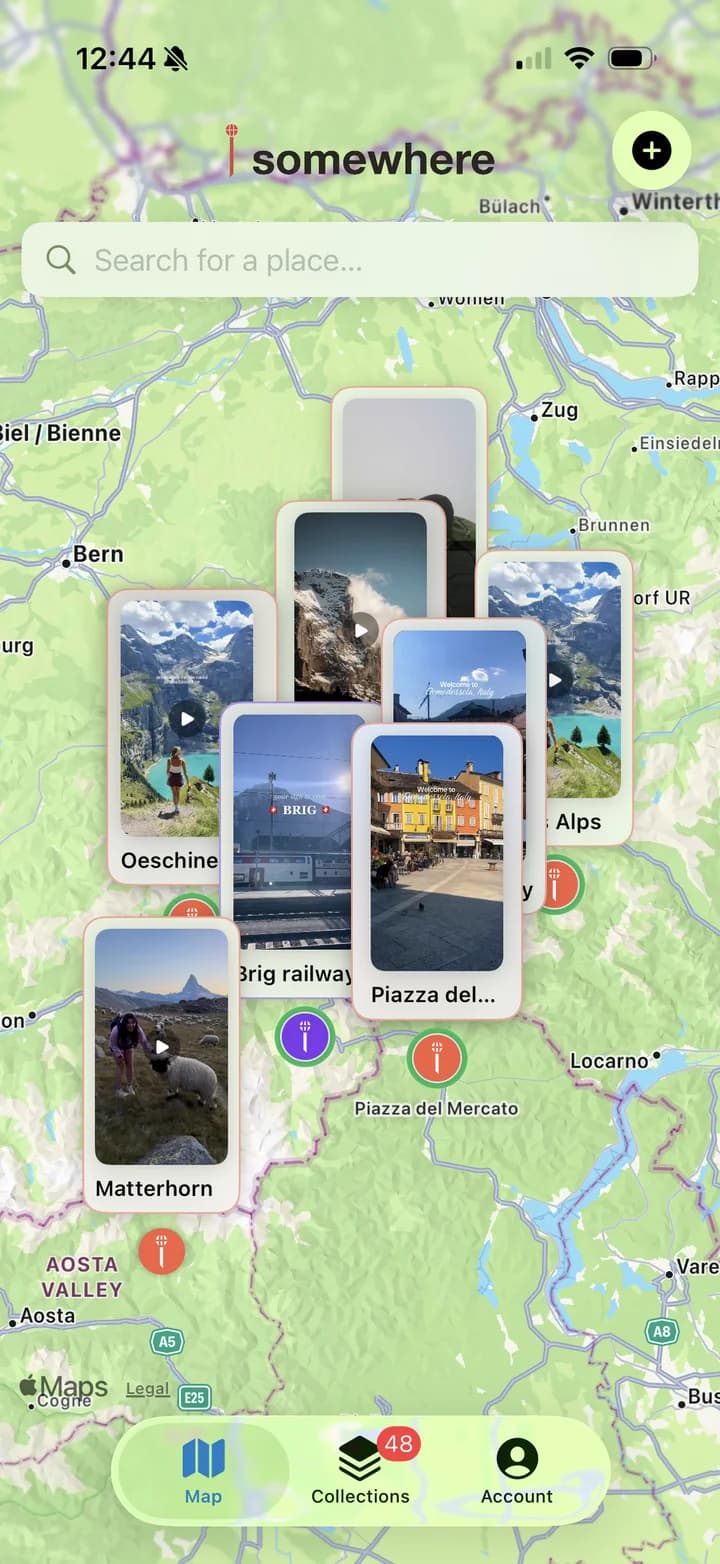
Every place you meant to go, on one map.
Share an Instagram, TikTok, or Threads post to somewhere. It watches the video, finds the places in it, and pins them — so they’re right there when you’re standing in the city.
iPhone · Free to start · Works with Instagram, TikTok & Threads
How it works
From a saved post to a pin in seconds
- 1
Share
Tap Share on any post and choose somewhere. No copying links, no switching apps.
- 2
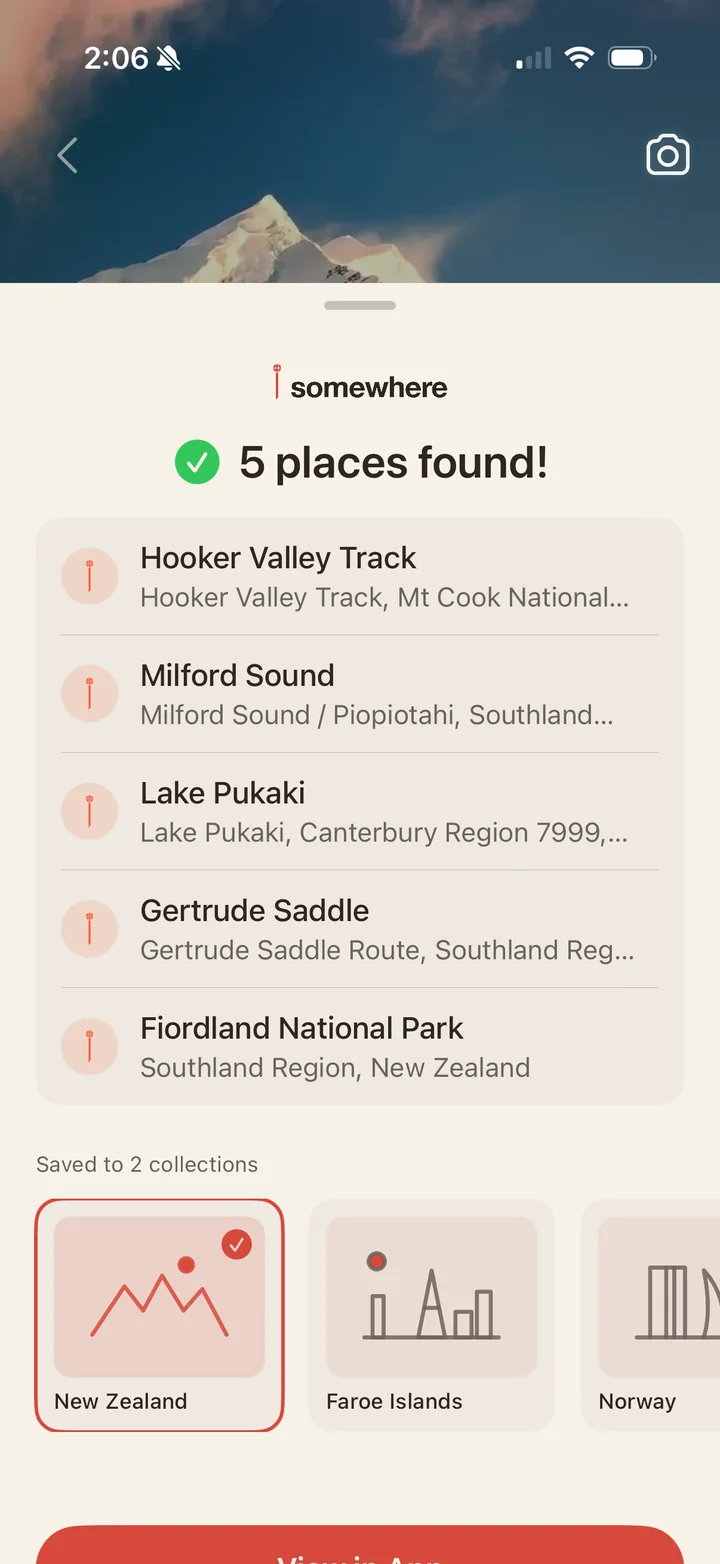
We find the places
It reads the caption, watches the video, and looks up every place the post is about.
- 3
Pinned on your map
Each place lands on your map, filed under its country, with the post saved right alongside.
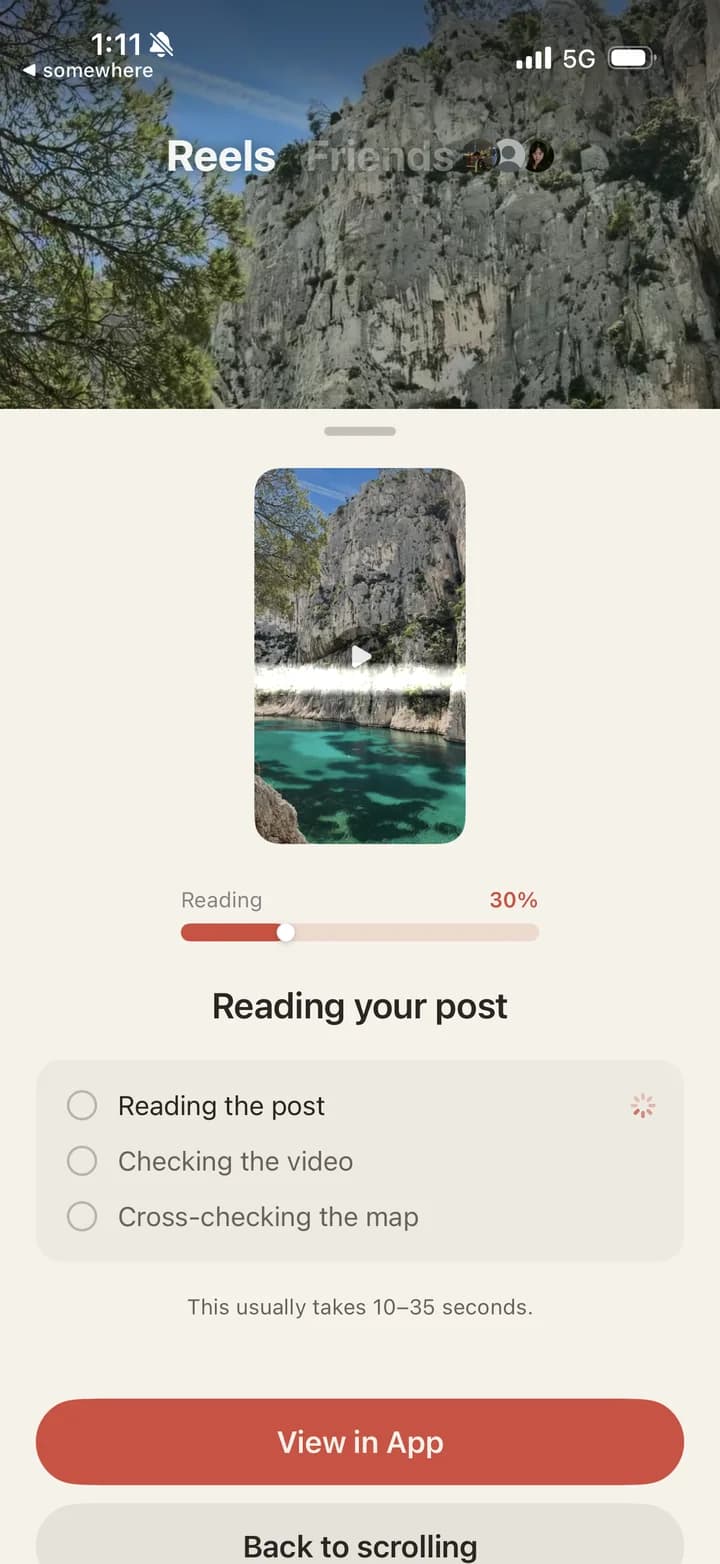
Reads the whole post
It watches the video, not just the caption
Most travel posts never name the place in the caption. somewhere reads the text, samples frames from the video, and cross-checks what it finds — so a reel captioned “best week ever” still ends up pinned in the right city.
- Understands captions, hashtags, and location tags
- Recognizes landmarks in videos and photo carousels
- Finds every place in a “10 spots in Lisbon” style list
Sorted for you
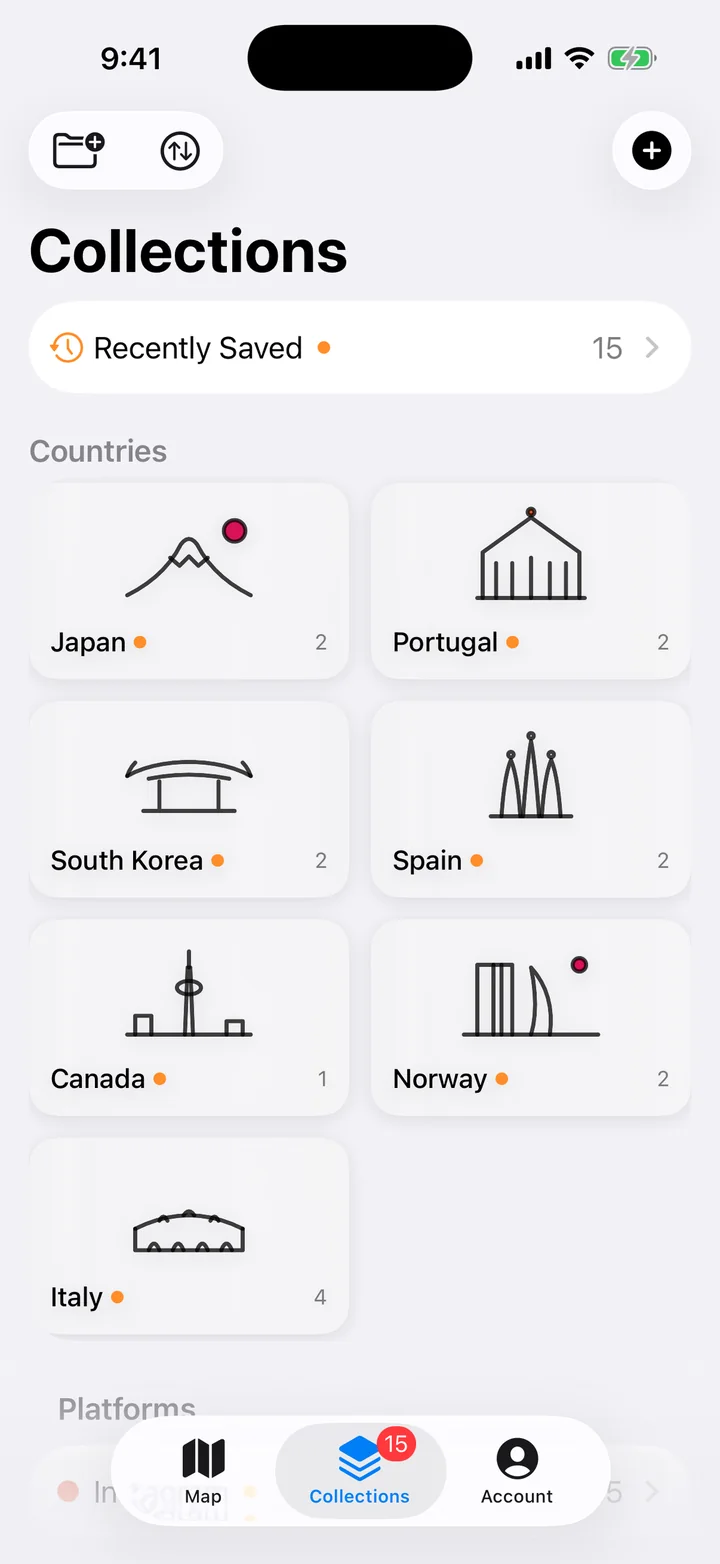
Everything you saved, filed by place
Pins sort themselves into a collection for each country, plus one for every app you saved them from. Your Instagram saves finally have an order that matches where things actually are.
- A collection per country, built automatically
- Collections for Instagram, TikTok, and Threads
- Recently saved, for whatever you added last
Remember why you saved it
See exactly where it came from
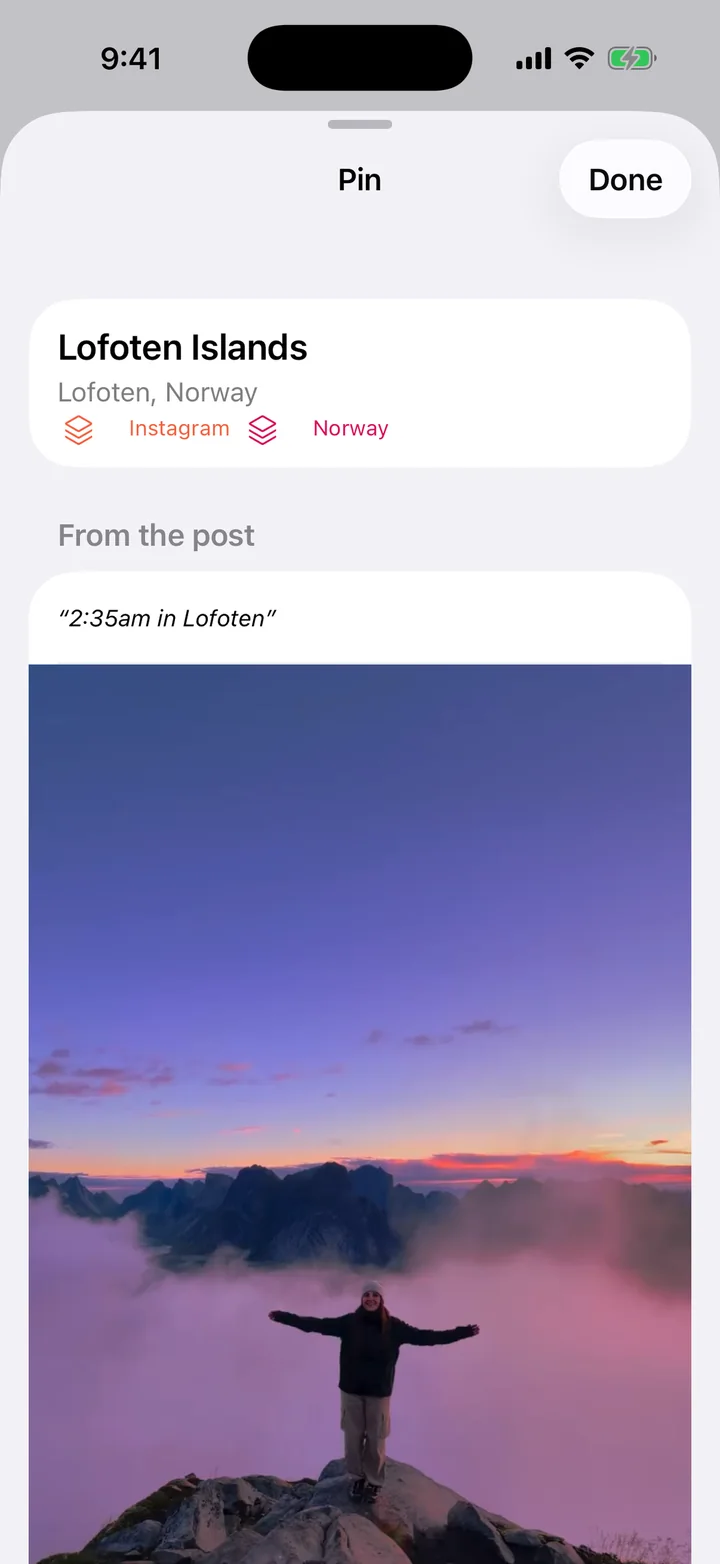
Tap any pin to see the line from the post that put it there, with the original video one tap away. You saved it for a reason — now you can see what it was.
- The exact line that named the place
- The original post, a tap away
- Rename, move, or remove any pin
And the small things
Built to be there when you need it
Share from anywhere
somewhere lives in the share sheet. Save a post without leaving the app you found it in.
On your phone and the web
Your map syncs to somewheremap.app, so you can plan on a big screen and still have it when you land.
Screenshots work too
Private account or a link that won’t open? Upload a screenshot — it’s read on your phone.
Offline video replay
With Plus, saved videos play back with no signal — handy right when you need them.
You’re in control
Wrong pin? Rename it, move it, or remove it. Nothing about your map is locked.
Back it up
Export your pins to a file any time. Your saves are yours to keep.
Which apps does it work with?
Instagram, TikTok, and Threads — reels, videos, photo carousels, and posts. For anything else, take a screenshot and upload it.
What about private accounts?
somewhere can’t open posts from private accounts, so those won’t resolve from a link. Take a screenshot of the post and upload it instead — that’s read right on your phone.
Is somewhere free?
Free to start: you can save your first 10 posts at no cost. somewhere Plus unlocks unlimited saves, a collection for every country, offline video replay, and adding places by pasting a link or screenshot.
What if it pins the wrong place?
Every pin shows the line from the post that put it there, so you can see why it landed where it did. If it’s wrong, rename it, move it, or remove it.
Is there an Android app?
Not yet — somewhere is on iPhone for now. You can open your map on any device at somewheremap.app.
Where is my data kept?
Your pins are saved to your account so they sync between your phone and the web. Read the details in the privacy policy.
Your saved folder is full of places you meant to go.
Put them on a map, so you actually go.